Blog · Guides · Aug 27, 2026 · 4 min read
Keeping one character across ten shots
Reference photos, first-frame pinning, a fixed description block and knowing when to re-roll. How to keep the same character across a multi-shot AI video.
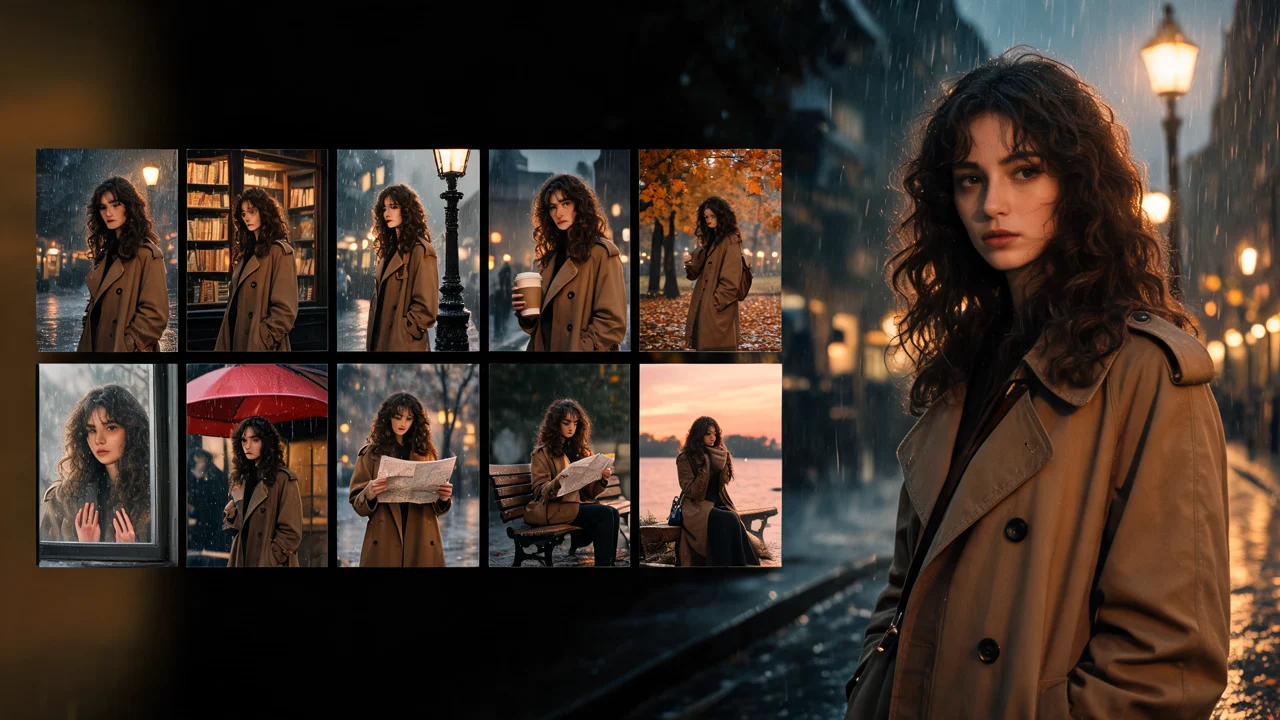
One good AI clip of a character is easy. Ten clips where that character is clearly the same person, with the same face, the same hair and the same jacket, is much harder. Every generation is a fresh guess, and small differences add up across shots until shot ten looks like a cousin of shot one.
You can't remove drift entirely, but you can make it small and predictable. This is the workflow that works best.
Build a reference set first
Before any video, make a small set of still images of your character. Think of it as a casting sheet:
- A front-facing portrait, neutral expression, even light.
- A three-quarter view.
- A profile.
- A full-body shot in the main outfit.
- Optionally, the same face smiling and serious.
If the character is based on a real photo, start from that. If they're invented, generate the first portrait, pick the one you like, and build the rest of the set by editing from it rather than starting over each time. Nano Banana 2 can work from up to 14 photos at once, which makes it a good fit for this: feed in the portraits you already have and ask for the next angle.
Keep the set consistent itself. If the hair is different in the profile, fix it now, not after ten videos.
Write a fixed description block
Write one short paragraph that describes the character, and paste it into every prompt, word for word:
"A woman in her thirties with short black hair, a small scar above her left eyebrow, silver hoop earrings, a mustard-yellow raincoat over a grey sweater."
Rules for the block:
- Be specific about what's distinctive. "Short black hair" is weak. A scar, an earring and a coat color give the model things to hold on to.
- Never reword it. Changing "mustard-yellow" to "yellow" in shot six is an invitation to change the coat.
- Keep it short. A long block competes with the action and the camera for the model's attention.
Pin the first frame
The strongest tool for consistency in video is image-to-video with a start frame you control. Instead of asking a video model to invent the character from text, give it a still of the character already in the shot.
For each shot:
- Make the start frame as a still, using your reference set, in the right setting and pose.
- Check the face against the front portrait. If it's off, fix the still now.
- Animate the still with a short prompt: the beats, one camera move, and a closing line such as "Her face, hair and raincoat stay unchanged throughout."
This moves the hard part, getting the face right, into the cheap image step. The video model only has to keep what it's been given.
Shot design that helps
Some shots are simply easier to keep consistent than others:
- Shorter shots drift less. A face that holds for 5 seconds may wander by 10. Cut more often.
- Keep the face in view. A character who turns fully away and turns back is effectively regenerated. If they must turn, cut on the turn.
- Limit camera moves near faces. A locked-off or slow push-in shot keeps a face steadier than an orbit.
- Light the same way. A big change of light, from daylight to neon for example, changes how the model reads the face. Keep a lighting note in the description block if the shots belong to one scene.
When to give up and re-roll
Some runs just drift. The skill is knowing when to stop fixing and start over.
- If the face changes in the first second, the problem is the start frame or the prompt. Re-roll the still, not the video.
- If it changes late in the clip, shorten the clip or cut before it happens.
- If two re-rolls of the same shot both drift, change something: a tighter crop on the face, a simpler action or a different camera move. A third identical attempt rarely does better.
- If the outfit changes but the face holds, add the outfit to the closing "stays unchanged" line and make sure the outfit is clearly visible in the start frame.
Draft on a cheap model first. At the time of writing, Tanvo Video v1 makes 480p, 5 second drafts at 20 credits, and Seedance 2 Mini starts at 130 credits for 480p, 6 seconds. Once a shot holds, take the same start frame and prompt to your final model. Failed runs are refunded, so a run that errors out costs nothing.
A checklist for each shot
- Start frame made from the reference set and checked against the portrait.
- Description block pasted in, unchanged.
- Two or three beats, one camera move.
- A closing line naming face, hair and clothes.
- Short duration, with a cut planned where the character turns away.
Start with your reference set on the image page.