Blog · Trends · Oct 6, 2026 · 2 min read
AI birthday photoshoot generator: a glam party portrait from one selfie
How to turn one selfie into a birthday studio shoot on Tanvo, how to put your age on the balloons, and how to change the colors.
What the trend is
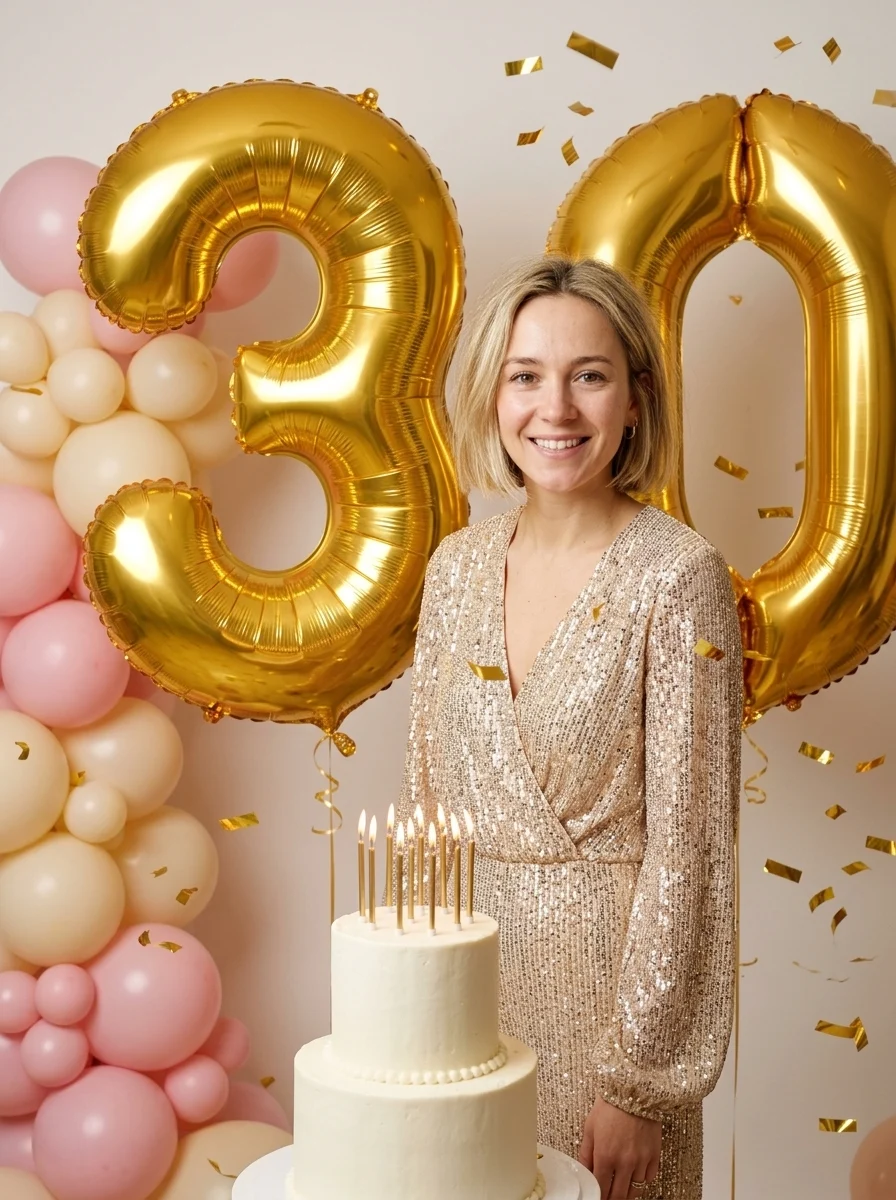
The AI birthday photoshoot is the portrait people post on the morning of a big birthday: a sequin outfit, giant foil number balloons, a balloon arch, a cake with the candles lit and proper studio light. A real shoot like that means a photographer, a backdrop and a lot of balloons.
The AI Birthday Photoshoot Generator on Tanvo does it from one selfie. It keeps your face, hair and expression and builds the set around you.
The look
There's one look, Gold balloons and cake. You stand in a champagne-gold sequin outfit beside large gold foil number balloons, with a pastel pink and cream balloon garland arching behind you. A two-tier white cake with lit candles sits on a small table in front, and a few strands of gold confetti hang in mid-air. The light is soft studio light from the front, a warm rim light and candle glow on your face.
How to make it on Tanvo
- Open the app. Go to AI Birthday Photoshoot Generator.
- Upload your photo. The app asks for one: Your photo.
- Set your age. Change the number in quotes in the prompt.
- Generate. The app runs on Nano Banana 2 and makes a 1K portrait image in 3:4.
Tips that make it work
Change the number in quotes. The prompt asks for number balloons showing "30", in quotes. Change it to your age and keep the quotes, for example "25" or "40". Two digits come out reliably.
Use a sharp, front-facing selfie. Your face should be evenly lit with no heavy filter. A plain background is fine, since it gets replaced.
Smile if you want to be smiling. The prompt keeps your expression from the photo, so the face you upload is the face in the shoot.
Change the colors. The colors are written into the prompt, so you can swap them: silver and black, or all pink. Some ideas:
- Silver and black for a 40th
- All pink for a 21st
- A first birthday with the baby
- A couple's joint birthday
- Champagne toast pose
- Sash and crown
Doing a couple or a group? Upload a photo with both or all of you in it, and edit the start of the prompt to "Keep everyone from the photo".
Pick the size for where it's going. 1K is enough for a post. Choose 2K or 4K before you run if you want to print it.
Cost and models
The default, a 1K image on Nano Banana 2, is about 25 credits. The price is shown before you run, and failed runs are refunded. Nano Banana Pro, Nano Banana 2 Lite and Seedream 5.0 Lite are also available in the app. See the pricing page for credit packs.
FAQ
Will it still look like me?
Yes. Your face, hair, skin tone and build are kept; only the outfit, the set and the light change.
Can I print it?
Yes. Choose 2K or 4K before you run for a sharp print.
Ready to try it? Open AI Birthday Photoshoot Generator.