Blog · Trends · Oct 6, 2026 · 3 min read
AI baby photoshoot: six studio-style shoots from one photo
How to make a pumpkin patch, cake smash or newborn basket shoot from one photo of your baby on Tanvo, which looks to pick, and how to keep the face right.
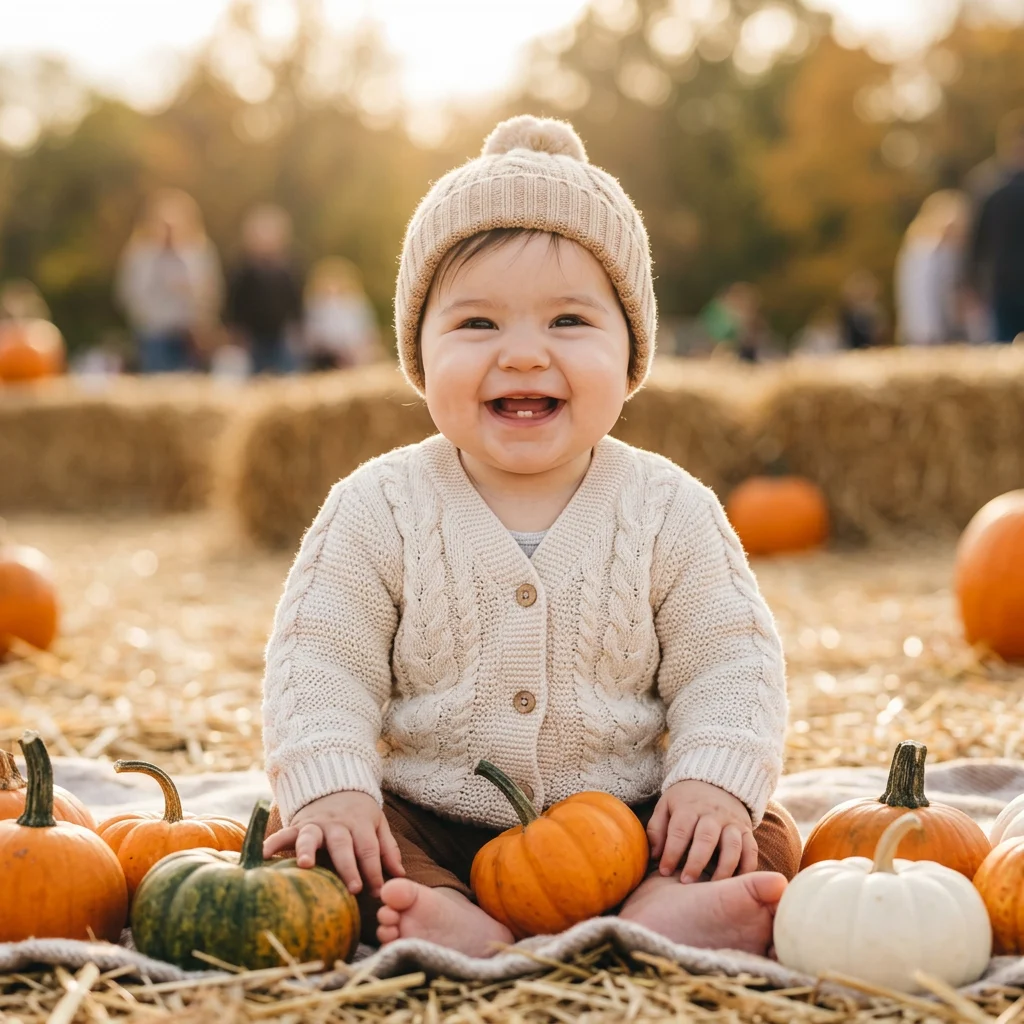
What the trend is
Seasonal baby photos are a tradition: the pumpkin patch in autumn, the cake smash on a first birthday, the tiny baby asleep in a basket, the Christmas card. Booking a studio for each one is expensive, and babies rarely cooperate on schedule.
The AI Baby Photoshoot app on Tanvo makes studio-style shoots from the one clear photo of your baby you already have on your camera roll. Same face, no studio, no nap schedule.
Why it works
Parents want the classic shots without the logistics. A single good photo is enough to try every setting, and the results are easy to share with family or use for cards. It's especially useful for milestones you missed or for shoots that would be difficult in real life, like a newborn basket for a baby who is already crawling.
The looks
There are six looks:
- Pumpkin patch: the autumn classic.
- First-birthday cake smash: cake, mess and a party setting.
- Newborn basket: the sleepy, wrapped-up studio shot.
- Christmas: ready for a holiday card.
- Little pumpkin costume: your baby dressed as a pumpkin.
- Spring meadow: soft light and flowers.
How to make it on Tanvo
- Open the app. Go to AI Baby Photoshoot.
- Pick a look from the list above.
- Upload your photo. The app asks for one: Baby's photo.
- Make it yours (optional). The chips add a detail: Add a name sign, With our dog, Twins or Older sibling too.
- Generate. The app runs on Nano Banana 2 and makes a 1K square image. The default costs 25 credits, and failed runs are refunded. Nano Banana Pro is also available in the app.
Tips for a good result
Pick the clearest face you have. The best photo shows your baby's whole face, eyes open, in soft daylight, without a pacifier, a hand or a blanket covering part of it. The model keeps what it can see, so a clear face is the single biggest factor in a likeness.
Avoid heavy filters. Beauty filters and strong color edits change skin tone and features. A plain, unedited phone photo works better.
Front or slightly to the side. A face turned well away from the camera is harder to keep recognizable in a new pose.
Pick the look for the occasion.
- Autumn posts and October cards: Pumpkin patch or Little pumpkin costume.
- First birthday announcements and invitations: First-birthday cake smash.
- A newborn-style keepsake: Newborn basket.
- Holiday cards: Christmas.
- Spring and Easter: Spring meadow.
Use the chips for family shots. With our dog and Older sibling too bring the rest of the household into the picture. Twins is for when there are two babies to include. Add a name sign puts a name in the scene, which is handy for birth announcements.
Make a set. At 25 credits per image, it's easy to run all six looks from the same photo and keep a matching set for the year.
FAQ
Will it look like my baby?
It's built to keep your baby's face from the photo you upload. Likeness depends mostly on the photo: a sharp, front-facing, well-lit face gives the best result. If a result doesn't look right, try a clearer photo before trying a different look.
Can I add a name or age sign?
Yes. Use the Add a name sign chip. Check the spelling in the result before you print or share it, and generate again if any letters come out wrong.
What photo works best?
A recent, sharp photo of your baby's face in daylight, eyes open, with nothing covering the face and no heavy filters. Phone photos are fine.
How much is it?
The default, a 1K square image on Nano Banana 2, is 25 credits. Failed runs are refunded. See the pricing page for credit packs.
Ready to try it? Open AI Baby Photoshoot.