Blog · Trends · Oct 6, 2026 · 3 min read
AI pumpkin stencil generator: carve a face or a pet
How to turn a photo of a face or a pet into a cut-ready pumpkin stencil on Tanvo, preview it carved and lit, then print it, tape it on and carve it.
What the trend is
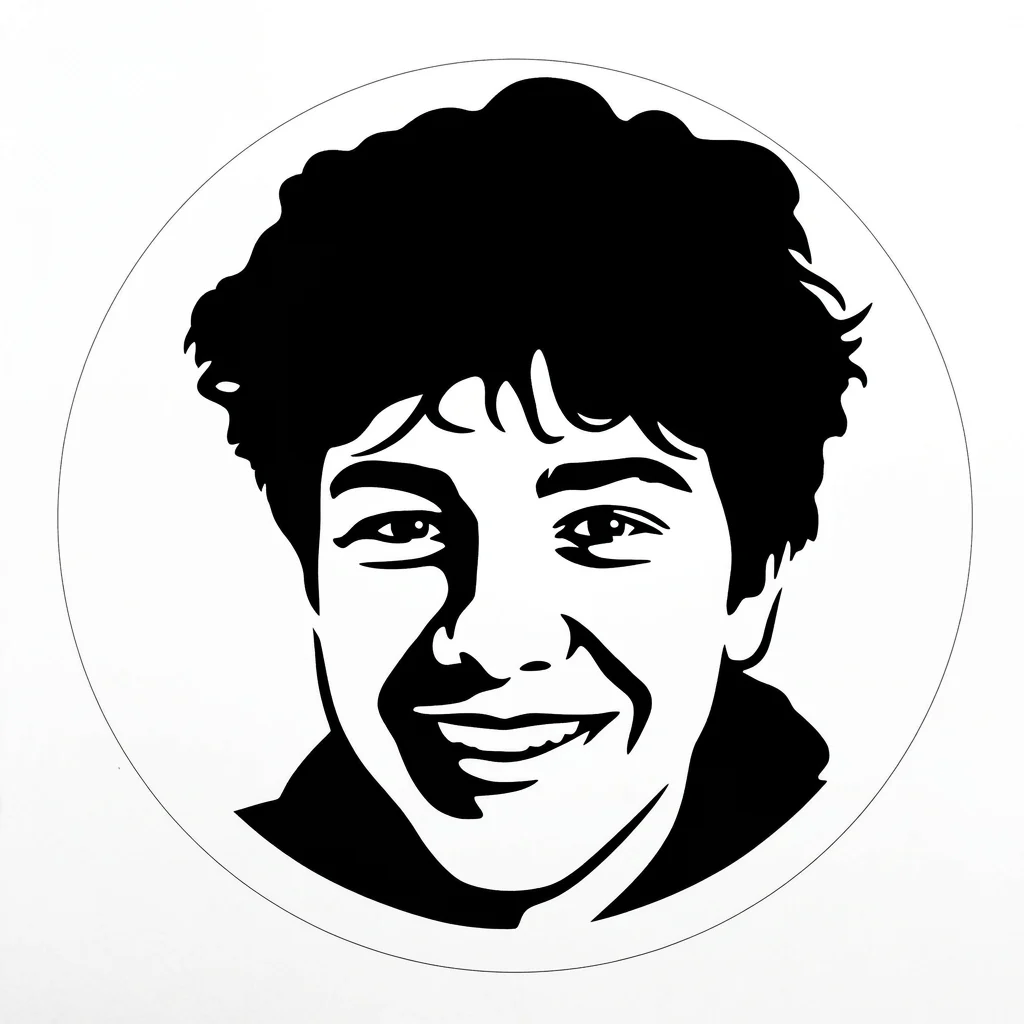
Carving a pumpkin of your dog, your partner or your own face is one of the most-shared Halloween projects, and also one of the hardest to get right freehand. The trick is a good stencil: a two-tone design where every dark area is cut away and every light area stays, so light shines through in the right shape.
The AI Pumpkin Stencil Generator on Tanvo turns a photo of a face or a pet into a two-tone stencil you can print, tape onto the pumpkin and carve. It can also show you a preview of the finished pumpkin, carved and lit, before you pick up the knife.
Why it works
A personal pumpkin gets a reaction that a generic jack-o'-lantern doesn't. People recognize their pet's ears or a friend's glasses in the glow. Getting there by hand means turning a photo into simple shapes, which is exactly the part most people find hard. A stencil does that step for you, and the carved preview lets you decide whether a design is worth the effort.
The looks
There are six looks:
- Portrait stencil: a person's face as a two-tone stencil.
- Dog stencil: a stencil tuned for a dog's face.
- Pet with a moon: your pet set against a moon.
- Carved preview, lit: how the portrait looks once carved and lit from inside.
- Carved dog, lit: the same preview for a dog.
- With a BOO banner: a stencil with a BOO banner added.
How to make it on Tanvo
- Open the app. Go to AI Pumpkin Stencil Generator.
- Pick a look from the list above.
- Upload your photo. The app asks for one: Face or pet photo.
- Make it yours (optional). The chips add details or simplify the design: Add a moon, Add bats, Add a name banner or Simpler, fewer islands.
- Generate. The app runs on Nano Banana 2 and makes a 1K square image. The default costs 25 credits, and failed runs are refunded. Nano Banana 2 Lite is also available in the app.
Tips for a good result
Use a photo with strong, simple light. Stencils are built from light and dark. A face or pet lit from one side, with clear shadows, turns into cleaner shapes than a flat, evenly lit photo.
Get close. Fill the frame with the face. A small dog in a big garden will become a tiny, fussy stencil.
Use a plain background. Busy backgrounds can add stray shapes. A wall, a sofa or the sky behind the subject keeps the stencil clean.
Choose "Simpler, fewer islands" for your first pumpkin. An island is a piece of pumpkin skin that would be completely surrounded by cut-out areas, so it falls out when you carve. Fewer islands means a design that holds together, and that's the most common reason a carved pumpkin fails.
Check the carved preview. Run Carved preview, lit or Carved dog, lit to see whether the design reads well when it's glowing. If the face isn't recognizable in the preview, it won't be on the porch either.
Carving tips that help any stencil:
- Print the stencil and trim the paper close to the design.
- Tape it to the flattest side of the pumpkin.
- Trace the lines with a pin or a poking tool, through the paper.
- Remove the paper, then cut the smallest, most detailed areas first.
FAQ
Will the stencil actually be cuttable?
It's designed to be, as a two-tone image with cut and keep areas. For an easier carve, add the Simpler, fewer islands chip, and check the result for any small floating pieces before you start cutting.
Does it work with pets?
Yes. There are pet-specific looks: Dog stencil, Pet with a moon and Carved dog, lit. A close photo of the pet's face, with ears and eyes clearly visible, works best.
Can I add text?
Yes. With a BOO banner adds a banner to the design, and the Add a name banner chip adds a name. Keep names short, since thin letters are hard to carve.
What is the carved preview for?
It shows how the stencil will look once carved and lit from inside, so you can judge the design before spending an evening on it. If the preview doesn't read well, try a different photo or the simpler version.
Ready to try it? Open AI Pumpkin Stencil Generator.