Blog · Trends · Oct 6, 2026 · 3 min read
AI Christmas card generator: the family card, from the photo you already have
How to turn a family photo into a fireside Christmas card on Tanvo, how to change the greeting, and which resolution to pick for printing.
What the trend is
Getting everyone into matching sweaters in front of the tree, all looking at the camera at once, is the hardest photo of the year. Someone blinks, the dog leaves, the lights don't show up.
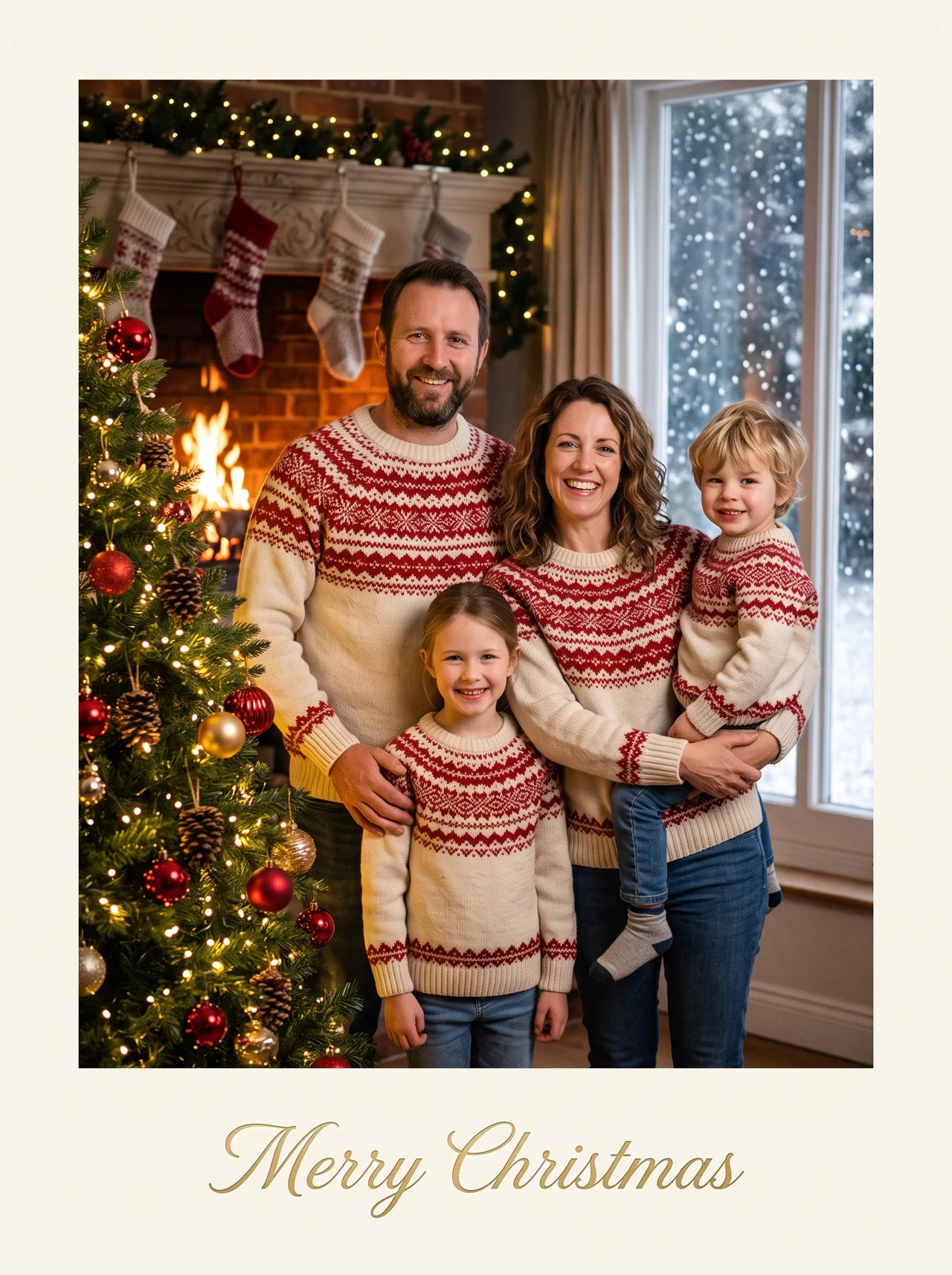
The AI Christmas Card Generator on Tanvo starts from a photo you already have, even a casual one, and restages it as the card: matching knits, fairy lights, a lit fireplace, snow at the window and "Merry Christmas" in gold script along the bottom.
Why it works
Everyone stays themselves. The prompt keeps each face, hair color, age and build, and the same number of people. Only the clothes, the room and the light change. That's why it runs on Nano Banana 2 rather than a lighter model.
The look
There's one look, Fireside card. Everyone stands close together in matching cream-and-red knitted sweaters beside a tall tree with warm white fairy lights and red and gold baubles. A lit fireplace with knitted stockings sits behind them, snow falls past a window, and warm firelight falls on the faces. A clean cream border frames the photo, with the greeting in gold script centered in the bottom margin.
How to make it on Tanvo
- Open the app. Go to AI Christmas Card Generator.
- Upload your photo. The app asks for Your photo: one photo with everyone in it, or up to three if the family is spread across photos.
- Change the greeting if you like. Edit the words in quotes in the prompt.
- Generate. The app runs on Nano Banana 2 and makes a 2K portrait image in 3:4.
- Print. Download it and send it to any print shop.
Tips that make it work
Keep the greeting in quotes. The prompt writes the greeting as "Merry Christmas", in quotes, followed by "spelled exactly like that". To change it, replace only the words inside the quotes, for example "Happy Holidays from the Parks". Short greetings in quotes come out spelled correctly almost every time. Check the spelling before you print anyway.
Clear, front-on faces. Every face in the photo should be clear and facing the camera. The card keeps what it can see, so a face turned away or in shadow is harder to keep.
Up to three photos. If one photo doesn't have everyone, upload up to three photos of different people. The card keeps the same number of people as your photos.
Add the pet. Add the pet's photo as a second photo and write "with our dog in a red scarf" into the prompt.
Pick the resolution for the print. 2K, the default, is right for a 5×7 card. Choose 4K for anything larger.
Make one for everyone. Some ideas:
- The whole family by the fire
- Just the two of you
- With the dog in a scarf
- Grandparents' card
- A card from the office team
- Baby's first Christmas
Cost and models
The default, a 2K image on Nano Banana 2, is about 40 credits, and 1K is about 25. The price is shown before you run, and failed runs are refunded. Nano Banana Pro, Nano Banana 2 Lite and GPT Image 2.5 are also available in the app. See the pricing page for credit packs.
FAQ
Can I put the whole family on one card?
Yes. Upload one photo with everyone in it, or up to three photos of different people, and the card keeps the same number of people.
Will everyone still look like themselves?
Yes. Every face, age and hair color is kept; only the clothes, the room and the light change.
Ready to try it? Open AI Christmas Card Generator.