One smiling photo · original shape · 1K–2K
Braces Filter: See What You'd Look Like With Braces
One smiling photo, no app: realistic brackets and wire on your own teeth, in the style and band colour you pick. A visual preview for fun, not a treatment plan.
- On your own teeth
- Pick the band colour
- No app needed
Braces Filter
Pick a look
tap to useModel
Nano Banana 2 runs from your account. Sign in now and everything you add here comes with you.
Smiling photo
(0/1)
Band colour
optionalA real name and one detail make it yours. Added to the prompt for you.
Aspect ratio
Resolution
Output format
Image preview
Every look is a real result from this app. Pick one, add your photo, press the button.
Adult and NSFW content is strictly prohibited. Acceptable use
Looks
5 looks, one upload
Each look is a preset prompt with a real result. Pick one in the generator; the photo stays, the look changes.
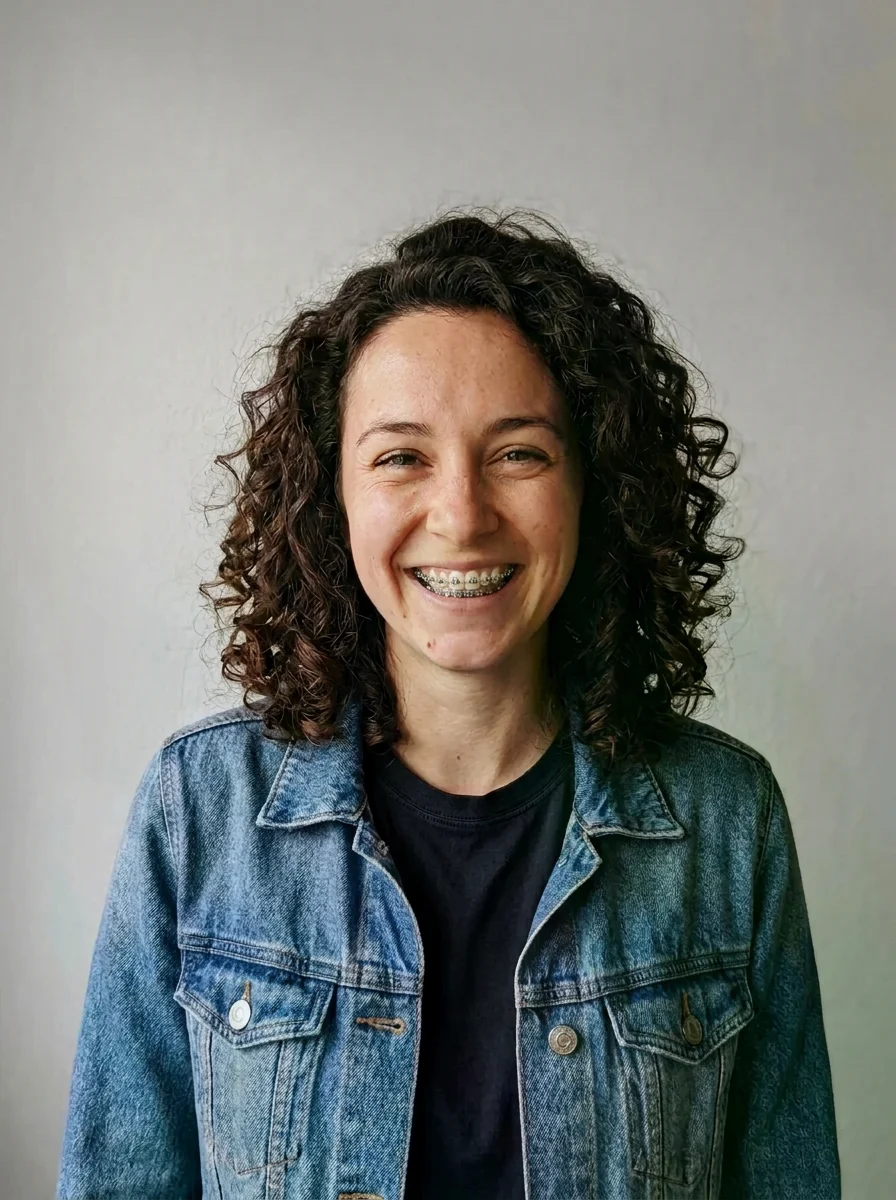

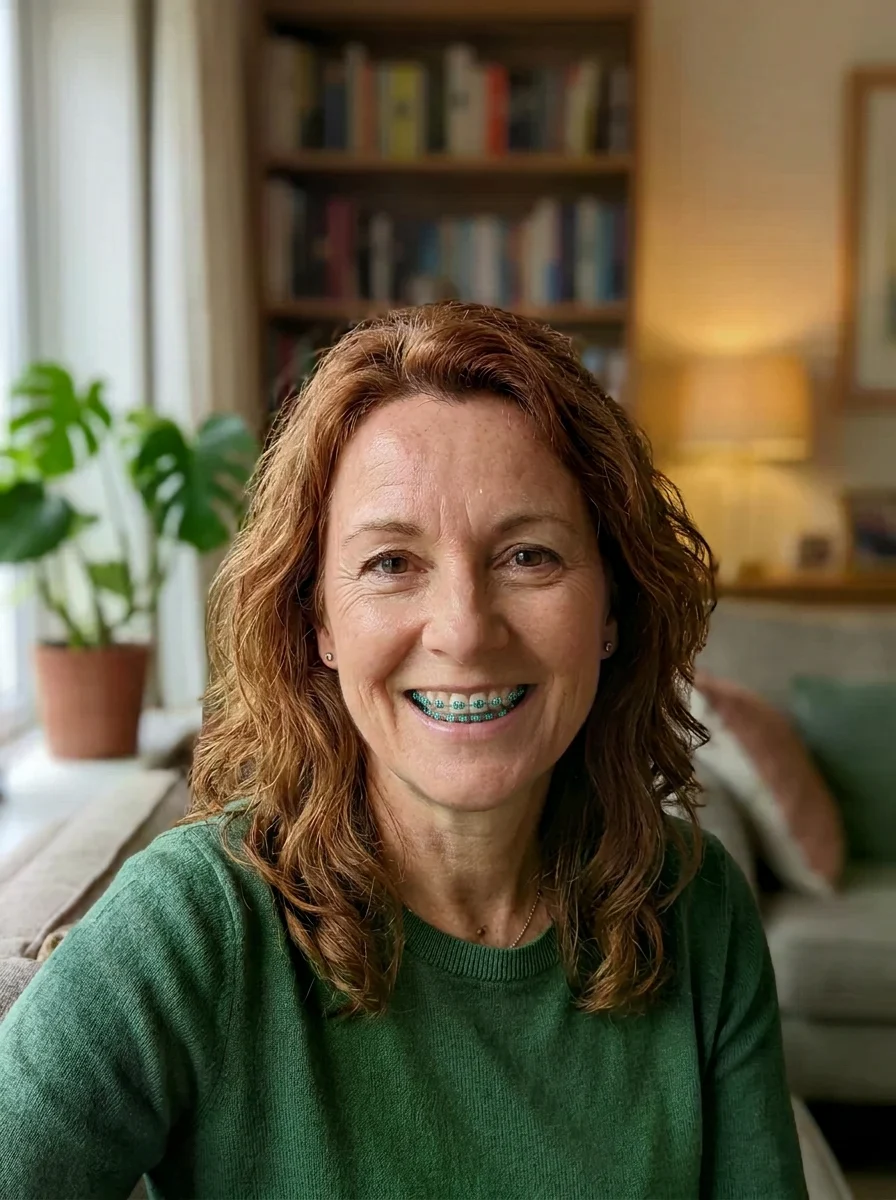


All looks above were made from the same photo: smiling photo. The people are fictional, generated by an image model.
The trend
What is the Braces Filter?
About to get braces, or just curious? Social filters only work live in a camera app. This braces filter works on any photo: upload one smiling picture and see realistic brackets and wire placed on your own teeth, in the style and band colour you choose.
Pick silver metal, tooth-coloured ceramic, a bright band colour, two-tone bands, or clear aligners. Only the braces are added; your teeth, smile and face stay exactly as they are. It is a visual preview for fun and for picking a band colour, not a treatment plan or a prediction of results: ask your orthodontist about treatment.
Who to cast
- Which band colour suits me?
- Metal or ceramic?
- Holiday colours
- Team colours
- Clear aligners preview
- A fun before-and-after
More apps
More apps like Braces Filter
Same idea, different result. Each opens ready to run.





How to use
How the image generator works
- 01
Upload a smiling photo
Front-facing, with an open smile that shows your upper and lower teeth, in good light.
- 02
Pick a style
Silver metal, tooth-coloured ceramic, pop of colour, two-tone bands or clear aligners. Type a band colour such as teal or pink.
- 03
Compare
Download the results side by side to choose a style or band colour you like.
Answers
Braces Filter FAQ
Pricing
You pay per generation, never per seat
Credits are shared across everything. You see the cost before each run.
No hidden fees · Cancel anytime · Failed runs refunded
Starter
15% OFF$8.3/month$9.9
$100 billed yearly
900 credits per month
- ≈ 45 quick 5s clips
- ≈ 7 Veo 3.1 Lite clips
- ≈ 36 Nano Banana 2 images
- Up to 3 generations at once
- Commercial use license
- All video and image models unlocked
- Native 4K output on supported models
- Video with native audio
- 3 generations at once
- Private generation
- Failed runs refunded automatically
Plus
20% OFFPopular$24/month$29.9
$288 billed yearly
4,500 credits per month
- ≈ 225 quick 5s clips
- ≈ 39 Veo 3.1 Lite clips
- ≈ 180 Nano Banana 2 images
- Up to 3 generations at once
- Commercial use license
- All video and image models unlocked
- Native 4K output on supported models
- Video with native audio
- 3 generations at once
- Private generation
- Failed runs refunded automatically
Pro
40% OFF$30/month$49.9
$360 billed yearly
8,500 credits per month
- ≈ 425 quick 5s clips
- ≈ 73 Veo 3.1 Lite clips
- ≈ 340 Nano Banana 2 images
- Up to 3 generations at once
- Commercial use license
- All video and image models unlocked
- Native 4K output on supported models
- Video with native audio
- 3 generations at once
- Private generation
- Failed runs refunded automatically
Try Braces Filter now
Add braces. The look is set; add your photo and the result is a few minutes away.